LESSON 1 - EDUCATIONAL TECHNOLOGY
" Technology is more than hardware. Technology consists of the designs and the environments that engage learners." -- D. Jonassen

> Educational technology is a modern way of acquiring knowledge through the use of educational medium for the betterment of our learning and improve our educational standards. It can simplify and make our lives more easier and faster. Educational technology refers to all the processes and systems of learning that can satisfy our needs and can develop our human capabilities to learn by using it in our daily lives.
To understand the meaning of Educational Technology, it would be good to begin with the meaning of Technology. The word " Technology " comes from the greek word techne which means craft or art. Based on the etymology of the word " Technology ", the term educational Technology, therefore, refers to the art or craft of responding to our educational needs.
> TECHNOLOGY
- Is not just a machine, it is a " planned systematic method of working to achieve planned outcomes -- a process not a product. Technology is the applied side of scientific development".
- Is any valid and reliable process or procedure that is derived from basic research using the scientific method.
- Refers to " all the ways people use their inventions and discoveries to satisfy their needs and desires."
- Consists of the designs and environments that engage learners and reliable techniques or method for engaging learning such as cognitive learning strategies and critical thinking skills."
- Is a theory about how problems in human learning are identified and solved. As a theory, educational technology has an " integrated set of principles that explain and predict observed events."
- Is a field involved in applying a complex, integrate process to analyze and solve problems in human learning.
- Is a field study which is concerned with the practice of using educational methods and resources for the ultimate goal of facilitating the learning process. As a field, it operates within the total field of education.
- Is a profession like teaching. It is made up of organized effort to implement the theory, intellectual technique and practical application of Educational Technology.
- It is the application of scientific findings in our method, process or procedure of working in the field of education in order to affect learning.
TECHNOLOGY IN EDUCATION
- It is the application of technology to any of those processes involved in operating the institutions which house the educational enterprise.
INSTRUCTIONAL TECHNOLOGY
- It refers to those aspects of educational technology that " are concerned with instruction as contrasted to designs and operations of educational institutions.
- It is also a systematic way of designing, carrying out and evaluating the total process of learning and teaching in terms of specific objectives. "
TECHNOLOGY INTEGRATION
- Means using " Learning technologies to introduce, reinforce, supplement and extend skills."
---------------------------------------------------------------------------------------------------
LESSON 2 - TECHNOLOGY: BOON OR BANE?
Technoloy is in our hands. We can use it to build or destroy."

> Educational Technology is a boon because it has a great advantage in our lives especially in our studies . It can make our life more easier and comfortable. It controls the world in which we live in. It helps us in many ways and understand the things that are happening around us. We can create beyond our imagination of what we can do and explore many things that educational technology can offer. It can also widen our knowledge because it is unlimited of the information we wanted to know. It could only be a bane if we abuse our privilege in using and applying it in our lives. Especially when you are to addicted with it in a way that it cannot help you anymore nor can destroy you. So it is really depends upon us on how to use it and for what purpose to use it as, it has been used for good as well as bad causes.
> Technology is a blessing for man. With Technology, there is a lot that we can do which we could not do then.
> When not used properly, Technology becomes a detriment to learning and development.
> In Education, technology is bane when:
- The learner is made to accept as Gospel truth information they get from the internet.
The learner surfs the internet for pornography.
The learner has an uncritical mind on images floating on television and computers that represent modernity and progress.
The TV makes the learner a mere spectator not an active participant in the drama of life.
The learner gets glued to his computer for computer-assisted instruction unmindful of the world and so fails to develop the ability to relate to others.
We make use of the Internet to do character assassination of the people whom we hardly like.
Because of our cell phone, we spend most of our time in the classroom or in our workplace texting.
We use, overuse and abuse TV or film viewing as strategy to kill time.
--------------------------------------------------------------------------------------------
LESSON 3 - THE ROLES OF EDUCATIONAL TECHNOLOGY IN LEARNING
"Technology makes the world a new place"

> Educational
technology helps the learners to support and represents their ideas and
knowledge. Learners will build their own knowledge and improve their
learning capacities not relaying to anyone, but teachers will only
facilitate the learner to learn in their own with the help of these
educational technologies. Because every learner have own abilities to
learn from their own way. Educational technology helps a learner explore all the knowledge they want and attain their goals in life
> From the traditional point
of view, technology serves as source and presenter of knowledge. It is
assumed that “knowledge is embedded in the technology (e.g. the content
presented by films and tv programs or the teaching sequence in
programmed instruction) and the technology presents that knowledge to
the students.”
> Technology like computers is seen as a productivity tool. The popularity of word processing, databases, spreadsheets, graphic programs and desktop publishing in the 1980s points to this productive role of educational technology.
> From the constructivist
point of view, educational technology serves as learning tools that
learners learn with. It engages learners in “active, constructive,
intentional, authentic and cooperative learning. It provides
opportunities for technology and learner interaction for meaningful
learning. In this case, technology will not be more delivery vehicle for
content. Rather, it is used a s facilitator of thinking and knowledge
construction.”
From a constructive perspective, the following are roles of technology in learning:
- Technology as tools to support knowledge construction.
- Technology as information vehicles for exploring knowledge to support learning-by-constructing.
- Technology as context to support learning-by-doing.
- Technology as a social medium to support learning by conversing.
- Technology as intellectual partner to support learning-by-reflecting.
> Whether used from the traditional or constructivist point of view, when used effectively, research indicates that technology " increases students learning, understanding and achievement but also augments motivation to learn, encourages collaborative learning and supports the development of critical thinking and problem-solving skills."
----------------------------------------------------------------------------------------
LESSON 4 - SYSTEMATIC APPROACH TO TEACHING
"A
plan that emphasizes the parts may pay the cost of failing to consider
the whole, and plan that emphasizes the whole must pay the cost of
failing to get down to the real depth with respect to the parts."
-- C.West
Churchman

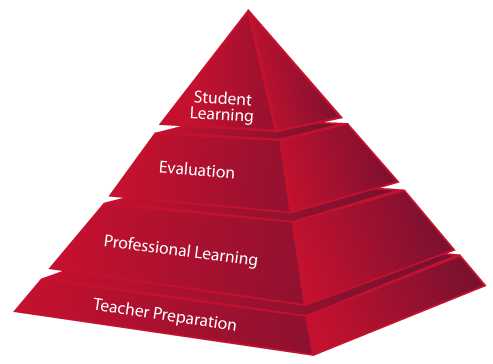
The systems approach views the entire educational program as a system of closely interrelated parts. It is an orchestrated learning pattern with all parts harmoniously integrated into the whole: the school, the teacher, the students, the objectives, the media, the materials and assessment tools and procedures. Such an approach integrates the older, more familiar methods and tools of instruction with the new ones such as the computer.
The systems' approach to instruction is simple in theory but far from being simplistic in practice. It is not just a matter of teacher formulating his/her lesson objective and then directly teaching the student. There are a lot of elements or factors that the teacher has to take into consideration - students' needs, interests, home background, prior experiences, developmental stage, nature and the like. The teacher, in the choice of the most appropriate teaching method, learning activities and learning resources, considers capability, the developmental stage of his students and of course his/her lesson objective. His/her choice of assessment method for learning is likewise dependent on the lesson objective. The action the teacher takes after getting assessment results is based on the assessment results, acceptability of remedial measure to parents and students, like a tutorial class after class hours. Will an extra hour after class devoted to tutorial be acceptable to the students and parents concerned?
The phrases or elements are connected to one another. If one element or one phase of the instructional process fails, the outcome which is learning is adversely affected. The attainment of the learning objective is dependent on the synergy of all elements and of all actors involved in the process.
The purpose of a system instructional design is "to ensure orderly relationships and interaction of human, technical and environmental resources to fulfill the goals which have been established for instruction." ( Brown, 1969 ).
--------------------------------------------------------------------------------
Lesson 5 - The Cone of Experience.
" The Cone is a visual analogy, and like all analogies, it does not bear and exact detailed relationship to the complex elements it represents." -Edgar Dale

Edgar Dale's Cone of Experience is a virtual representation on learning resources arranged to degrees of abstractness. The farther you move away from the base of the cone, the more abstract learning resources becomes. Arranged from the least to the most abstract the learning resources presented in the cone of experience are:
Direct proposal experiences
- These are first hand experiences which serve as the foundation of our
learning. We build up our reservoir of meaningful information and ideas
through seeing, hearing, touching, tasting and smelling. In the context
of the teaching-learning process, it is learning by doing. If I want my
student to learn how to focus a compound light Microsoft, I will let him
focus one, of course, after I showed him how.
Contrived experiences
- In Here, we make use of a representative model or mock ups of reality for
practical reasons and so that we can make the real-life accessible to
the students’ perceptions and understanding. For instance a mock up of
Apollo, the North capsule for the exploration of the moon, enable the
North American Aviation Co. to study the problem of lunar flight.
Dramatized experiences
- By dramatization, we can participate in a reconstructed experience, even
though the original event is far removed from us in time. We relieve
the outbreak of the Philippine revolution by acting out the role of
characters in a drama.
Demonstrations
- It is a visualize explanation of an important fact, idea or process by
the use of photographs, drawings, films, displays or guided motions. It
is showing how things are done. A teacher in Physical Education shows the
class how to dance tango.
Study Trips
- These are excursions and visits conducted to observe an event that is unavailable within the classroom.
Exhibits
- These are displays to be seen by spectators. They may consist of working
models arranged meaningfully or photographs with models, charts, and
posters. Sometimes exhibits are “for your eyes only”. There are some
exhibits, however, that include sensory experiences where spectators are
allowed to touch or manipulate models displayed.
Television and Motion Pictures
- Television and motion pictures can reconstruct the reality of the past
so effectively that we are made to feel we are there. The unique value
of the value of the messages communicated by film and television lies in
their feeling of realism, their emphasis on person s and personality,
their organized presentation and their ability to select, dramatize,
highlight and clarify.
Recordings, Radio, Still
Pictures
- These are visual and auditory devices may be used by an individual or a
group. Still pictures lack the sound and motion of a sound film. The
radio broadcast of an actual event may often be likened to a televised
broadcast minus its visual dimension.
Visual Symbols
- These are no longer realistic reproduction of physical things for these
are highly abstract representations. Example are chart, graphs, maps and
diagrams.
Verbal Symbols
- They are not like the objects or ideas for which they stand. They
usually do not contain visual clues to their meaning. Written words fall
under this category. It may be a word for a concrete object (book), an
idea (freedom of speech), a scientific principle (the principle of
balance), a formula ( e=mc2)
The Lines that separate the learning experience
should not be taken to mean that the learning experiences are strictly delineated.
The Cone of Experience should not be taken literally. Come to think of it. Even
from the base of the cone, which is direct purposeful experiences, we already
use words- verbal symbols- which are the most abstract. In fact, we use words
that are verbal symbols, the pinnacle of the cone, across the cone from top to
bottom. Or many times verbal symbols are accompanied by visual pictures, still
pictures.
Three pitfalls that we, teachers should avoid with
regard to the use of the Cone of Experiences are:
Using one medium in isolation
Moving to the abstract without an adequate foundation
of concrete experience.
Getting stuck in the concrete without moving to the abstract
hampering the development of our student’s higher thinking skills.
---------------------------------------------------------------------
Lesson 6- Using and Evaluating Instructional Materials.
"You should have a good idea of your destination, both in the over-all purposes of education and in the everyday work of your teaching. If you do not know where you are going, you cannot properly choose a way to get there."

To ensure that the instructional materials serve their purpose in instruction, we need to observe some guidelines in their selection and use. The materials that we select must:
* give a true picture of the ideas that they present
* contribute to the attainment of the learning objective.
* be appropriate to the age, intelligence and experience of the learners.
* be in good and satisfactory condition
* provide for a teacher's guide.
* help develop in the critical and creative thinking powers of students.
* be worth the time, expense and effort involved.
For optimum use of the instructional material, it is necessary that the teacher prepares:
* herself
* her students
* the instructional material and does follow up.
---------------------------------------------------------------------
Lesson 7- Direct, Purposeful Experiences and Beyond
" From the rich experiences that our sense bring. we construct the ideas, concepts, generalizations that give meaning and order to our lives."

What are referred to as direct,
purposeful experiences?
- These are our concrete and firsthand experiences
that make up the foundation of our learning. These are the rich experience that
our sense bring from which we construct the ideas, the concepts, the generalizations
that give meaning and order to or lives. (Dale, 1969) The are sensory
experiences.
In contrast,
indirect experiences are experiences of other… people that we observe, read or
hear about. They are not our own self-experiences but still experiences in the
sense that we see, hear and read about them. They are not firsthand but rather
vicarious experiences.
Climbing
a mountain is firsthand, direct experience. Seeing it done in films or reading
about it is vicarious, substitute experience. It is clear, therefore, that we can approach the world of
reality directly through the sense and indirectly with reduced sensory
experience.
* Direct Experiences are firsthand experiences that serve as the foundation of learning. The opposite of direct experiences are indirect or vicarious experiences.
Direct Experiences lead us to the concept formation and abstraction. We should not end our lessons knowing only the concrete. We go beyond the concrete by reaching the level of abstract concepts.
---------------------------------------------------------------------
Lesson 8- Teaching with contrived experiences
"We teach through a re-arrangement of the raw reality; a specimen, a manageable sample of a whole...when the direct experience cannot be used properly in its natural setting."


Contrived experiences are substitutes of real things when it is not feasible to bring the real thing to the class. These include models, mock ups, specimens, objects, simulations and games.
1. Models - Is a "reproduction of areal thing in a small scale, or large scale or exact size - but made of synthetic materials. It is a substitute for real thing which may or may not be operational." ( brown, et al, 1969 )
2. Mock up - Is " an arrangement of a real device or associated devices, displayed in such a way that representation of reality is created. The mock up may be simplified in order to emphasize certain features." ( brown, 1969 )
3. Specimens - Is any individual or item considered typical of a group, class or whole.
4. Simulation - Is a " representation of a manageable real event in which the learner is an active participant engaged in learning a behavior or in applying previously acquired skills or knowledge"
( Orlich, et al, 1994 )
We use simulations and games o make our classes interactive and to develop the decision making skills and knowledge construction skills of our students,Orlich, et al (1994) enumerates 10 general purposes of simulations and games in education;
1. To develop changes in attitude
2. To change specific behaviors
3. To prepare participants for assuming new roles in the future,
4. To help individuals to understand their current roles
5. To increase the students ability to apply principles
6. To reduce complex problems or situations to manageable elements
7. To illustrate roles that may affect one's life but that one my never assume
8. To motivate learners
9. To develop analytical processes
10. To sensitize individuals to another person's life role
The most important thing to remember when we make use of models and mockups are to make them close as we could to the real things they represent. If for one reason or another they could not replicate the real things in size and color and we should at least cautious the user or the reader by giving the scale.
---------------------------------------------------------------------
Lesson
9 – Teaching with dramatized Experiences
“All
dramatization is essentially a process of communication, in which both
participant and spectators are engaged. A creative interaction takes place, a
sharing of ideas."


"Rod Puppet" "Shadow puppet" " pantomime"
> Some
forms of dramatic experiences are play, pageant, pantomime, tableau, puppets
and role-playing. The last four are the most commonly used in the classroom due
to their simplicity and practicality.
Role-playing
is highly effective for lessons in the affective domain. If we want results, we
cannot afford to ignore the guiding principles given by experts on the use of
puppets and role-playing.
Play
– Depict life, character or culture or a combination of all three.
Pageants
– Are usually community dramas that are based on local history, presented by
local actors.
Pantomime
– Is the “art of conveying a story through bodily movements only”
Tableau
– ( a French word which mean picture ) is a picture-like scene composed of
people against a background.
Puppets
– Unlike the regular stage play, can present ideas with extreme simplicity –
without elaborate scenery or costume – yet effectively.
Types
of puppet
Ø
Shadow
Puppet – flat black silhouette made from light-weight cardboard and shown
behind a screen.
Ø
Rod
puppets – Flat cut out figures tacked to a stick, with one or more movable
parts and operated from below the stage level by wire rods or slender sticks.
Ø
Hand
puppets – The puppet’s head is operated by the forefinger of the puppeteer, the
little finger and thumb being used to animate the puppet hands.
Ø
Glove-and-finger
puppets – make use of old gloves to which small costumed figure are attached.
Ø
Marionettes
– Flexible, jointed puppets operated by strings or wires attached to a cross
bar and maneuvered from directly above the stage.
Role-Playing
– Is an unrehearsed, unprepared and spontaneous dramatization of a “let’s
pretend” situation where assigned participants are absorbed by their own roles
in the situation described by the teachers.
----------------------------------------------------------------------------------------
Lesson
10 – Demonstration in Teaching
“Good
demonstration is good communication.”

Demonstration
“is a public showing and emphasizing of the salient merits, utility,
efficiency, etc of an article or product.” In teaching it is showing how a
thing is done and emphasizing of the salient merits, utility and efficiency of
a concept, a method or a process or an attitude.
A
good demonstration is an audio-visual presentation. It is not enough that the
teacher talks. To be effective, his/her demonstration must be accompanied by
some visuals.
To
plan and prepare adequately for a demonstration, we first determine the goals,
the materials we need, our steps and rehearse.
What
guiding principles must we observe in using demonstration as a
teaching-learning experience? Edgar dale ( 1969 ) gives at least three:
1. Establish rapport.
Greet your audience. Make them feel at ease by your warmth and sincerity.
Stimulate their interest by making your demonstration and yourself interesting.
Sustain their attention.
2. Avoid the COIK fallacy
( Clear Only If Known ) It is the assumption that what is clear to the expert
demonstrator is also clearly known to the person for whom the message is
intended.
3. Watch the Key points.
Dale ( 1996 ) says,” they are the ones at which an error is likely to be made,
the places at which many people stumble and where the knacks and tricks of the trade
are especially important.”
In
the actual conduct of the demonstration itself we see to it that we:
1. Get and sustain the
interest of our audience
2. Keep our demonstration
simple
3. Do not hurry nor drag
out the demonstration
4. Check for understanding
in the process of demonstration
5. conclude with a summary
6. Hand out written
materials at the end of the demonstration.
----------------------------------------------------------------------------------------
Lesson
11- Making the most of Community Resources and field trips
“Field
Trips offer an excellent bridge between the work of the school and the work of
the world outside.”

Field
Trips are expensive. They require much time for preparation and planning.
However, considering the intensity and the extent of concrete experiences that
come through field trips, we are
encouraged to use them Only, if there is no other less expensive but equally
effective instructional tool. Preparation and planning for the field trip
includes discussions and decisions on what to do before the field trip, during
the field trip and after the field trip.
Community
resources like historical and scenic spots, museums, zoos, botanical gardens,
places, of exhibits can be destinations for field trips. Other community
resources can be people themselves such as parents, senior citizens and other
members of the community.
*
Planning a field trip includes these steps:
1. Preliminary planning by
the teacher
2. Preplanning with others
going on the trip
3. taking the field trip
itself
4. Post-field trip follow
up activities
*
Preplanning with others joining the trip
-
Other
people accompanying the group need to be oriented on the objectives, route,
behavior standards required of everyone so they can help enforce these
standards.
*
Taking the field Trip
Ø
Distribute
route map of places to be observed
Ø
Upon
arriving at the destination, teacher should check the group and introduce the
guide.
Ø
Special
effort should be made to ensure that:
o
The
trip keeps to the time schedule
o
The
students have the opportunity to obtain answers to questions
o
The
group participates courteously in the entire trip
o
The
guide sticks closely to the list of questions.
*
Educational Benefits derived from a field trip
-
Field trips can be fun and educational when they are well executed. They
offer us a number of educational benefits:
1. The acquisition of
lasting concepts and change in attitudes are rooted on concrete and rich
experiences which are fundamental to learning that lasts.
2. Field trips bring us to
the world beyond the classroom. The real world connection is more work but the
benefits of broadening teaching beyond textbooks far outweigh the little bit of
time it takes from a teacher’s schedule.
3. Field trips have wide
range of application. It is not meant only for children. It is for adults also.
a. It can bring about a
lot of realizations which may lead to changes in attitudes and insights. The
field trip “ can nurture curiosity; build a zest for new experience and a sense
of wonder.” ( dale, 1969).
*
Disadvantages of Field Trips:
- These educational benefits can
compensate for drawbacks of field trips, some of which are:
1. It is costly
2. It involves logistics
3. It is extravagant with
time
4. It contains an element
of uncertainty
-------------------------------------------------------------------------------------
Lesson
12 – The power of film, video and TV in the classroom
“
Next to the home and school, I believe television to have a more profound
influence on the human race than any other medium of communication.” – Edgar
Dale

The
film, video and TV are powerful instructional tools. When they re used
appropriately and moderately, they can make the teaching-learning process more
concrete, lively, colorful and interactive. It contributes to a more lasting
learning because of its visual, audio and motion effects. These effects make
learning fun. However, misuse and abuse of their use in the classroom and even
at home has far reaching damaging effects in the development of children’s
imaginative and thinking powers and sensitivity to human life. The most
significantly cited weakness of the tv is the effect of tv violence on peoples’
aggressive behavior.
With
the coming of the VCR, viewing need or not to be passive anymore. We can have
interactive viewing with VCR.
The
film, the video and the TV sre indeed very powerful. Dale ( 1969 ) says, they
can:
Ø
Transmit
a wide range of audio – visual materials, including still pictures, film,
objects, specimens and drama.
Ø
Bring
model of excellence to the viewer
Ø
Bring
the world of reality to the home and to the classroom through a “live”
broadcast or as mediated through film or videotape.
Ø
Make
us see and hear for ourselves world events as they happen.
Ø
Be
the most believable news source
Ø
Make
some programs understandable and appealing to a wide variety of age educational
levels.
Ø
Become
a great equalizer of educational opportunity because programs can be presented
over national and regional networks.
Ø
Provide
us with sounds and sights not easily available even to the viewer of a real
event through long shots, close ups, zoom shots, magnification and split screen
made possible by the TV camera.
Ø
Can
give opportunity to teachers to view themselves while they teach for purposes
of self – improvement.
Ø
Can
be both instructive and enjoyable.
While
the film, video and tv can do so much, they have their own limitations too :
Ø
Television
and films are one – way communication device consequently, they encourage passivity.
Ø
The
small screen size puts television at a disadvantage when compared with the
possible size of projected motion pictures.
Ø
Excessive
tv viewing works against the development of the child’s ability to visualize
and to be creative and imaginative, skills that are needed in problem solving.
Ø
There
is much violence in tv. This is the irrefutable conclusion, “viewing violence
increases violence”.
Basic
Procedures in the use of TV as a Supplementary Enrichment.
*
For enrichment of the lesson with the use of TV, we have to do the following:
Ø
Prepare
the classroom
o
Darken
the room but not completely so the students can take down notes.
o
The
students should not be seated too near nor too far from the TV.
*
Pre-viewing Activities
o
Set
goals and expectations.
o
Link
the TV lesson with the past lesson and/or with your students’ experiences for
integration and relevance.
o
Set
the rules while viewing.
o
Put
the film in context.
o
Point
the key points they need to focus on.
*
Viewing
Ø
Don’t
interrupt viewing by inserting cautions and announcements you forgot to give
during the pre-viewing stage. It disrupts and dampens interest.
Ø
Just
make sure sights and sounds are clear.
*
Post-viewing
Ø
To
make them feel at ease begin by asking the following questions:
1.
What do you like best in the film?
2.
What part of the film makes you wonder? Doubt?
3.
Does the film remind you of something or someone?
4.
What questions are you asking about the film?
*
Go to the questions you raised at the pre-viewing stage.
*
Tackle questions raised by students at the initial stage of the post-viewing
discussion.
*
Ask what the students learned.. Find how they can apply what they learned.
*
Summarize what has learned.
-----------------------------------------------------------------------------------
Lesson
13; Teaching with visual symbols.
“Visual
symbols will be made meaningful if we can use them as summaries of our own
direct experiences or our own rich indirect experiences... A little can stand a
lot”


Like
a picture a graph and all other visual symbols, are worth a thousand
words, The proper use of visual symbols
will contribute to optimum learning.
Visual
symbols come in many forms – drawings, cartoons, strip drawing (comic strip)
diagram, map, chart and graph. For these visual symbols to be at your finger
tips, you ought to be skilled at making them.
The
collection, preparation and use of these various visual symbols depends to a
great extent on your own resourcefulness and creativity. They may be used in
different ways and in different phases of the lesson depending on your purpose.
If you use them skillfully, your classroom may turn into a beehive of busy
students.
a.
drawings
a drawing may not be the real thing
but better to have a concrete visual aid than nothing. To avoid confusion, it
is good that our drawing correctly represents the real thing.
b.
cartoons
A fist rate cartoon tells its story
metaphorically. The perfect cartoon needs no caption. The less the artist
depends on words, the more effective the symbolism. The symbolism conveys the
message.
C.
Strip drawings
These are commonly called comics or
comic strips.
D.
Diagrams
It is
“
any line drawing that shows arrangement and relations as of parts to the whole,
relative values, origins and development, chronological fluctuations,
distribution, etc.”
Types
of Diagrams
1.
Affinity diagram – used to cluster complex apparently unrelated data into
natural and meaningful groups.
2.
Tree diagram – used to chart out, I increasing detail, the various tasks that
must be accomplished to complete a project or achieve a specific objective.
3.
Fishbone Diagram – It is also called cause and effect diagram.
It
is a structured form of brainstorming that graphically shows the relationship
of possible causes and sub causes directly related to an identified effect /
problem. It is most commonly used to analyze work – related problems.
E.
Charts
Is a diagrammatic representation of
relationships among individuals within an organization. We can have different
types of chart:
1. time chart – is a tabular time chart that
presents data in ordinal sequence.
2. tree or stream chart – Depicts development,
growth and change by beginning with a single course ( the trunk ) which spreads
out to many branches or by beginning with the many tributaries which then
converge into a single channel.
3. flow chart – Is a visual way of charting or
showing a process from beginning to end. It is a means of analyzing a process.
By outlining every step in a process, you can begin to find inefficiencies or
problems.
4. organizational chart – shows how one part of
the organizational relates to other parts of the organization.
5. comparison and contrast chart – Used to show
similarities and differences between two or three things.
6. pareto
chart – Is a type of bar chart, prioritized in descending order of
magnitude or importance from left to right. It shows at a glance which factors
are occurring most.
7. gaant chart – Is an activity time chart.
F. Graphs
- There
are several types of graphs. They are:
-
Circle
or pie graph
o
Recommended
for showing parts of whole.
-
Bar
graph
o
Used
in comparing the magnitude of similar items at different ties or seeing
relative sizes of the parts of a whole.
-
Pictorial
graph
o
Makes
use of picture symbols.
-
Line
graph
·
Graphic
Organizer – an informal organizer
G.
Maps
Is a “ representation of the surface
of the earth or some part of it.”
Kinds
of Map
1.
Physical map – Combines in a single projection data like altitude, temperature,
rainfall, precipitation, vegetation and soil.
2.
relief map – Has three dimensional representations and show contours of the physical
data of the earth or part of the earth.
3.
Commercial or economic map – Also called product or industrial map since they
show land areas in relation to the economy.
4.
Political map – gives detailed information about country, provinces, cities and
towns, roads and highways. Oceans, rivers and lakes are the main features of
most political maps.
Map
language :
1. Scale
- Shows how much of the actual earth’s surface
is represented by a given measurement on a map.
-
On
some maps, scale is shown graphically while some is expressed in words and
figures.
2.
Symbols – Usually a map has a legend that explains what each symbol means. (ex:
railroads, mountains, lakes and plains)
3.
Color – The different colors of the map are part of the map language.
4.
Geographic grids – The entire system of these grid lines are called grid lines.
These grid lines are called meridians and parallel.
- A meridian is a north to south
pole line
- Parallels are lines drawn around a
globe with all points along each line with an equal distance from the pole.
- Longitude is the distance in
degrees of any place east or west of the prime meridian.
- Latitude is the distance in
degrees of any place north or south of the equator.
-----------------------------------------------------------------------------------
Lesson 14:
Maximizing the use of the overhead projector and the chalk board
“Indeed,
in no…country have I ever seen a good school without a black board or a
successful teacher who did not use it frequently” –Horace Mann, noted American
Educator.


Among
all instructional equipment, the chalk board is the most available. The
overhead projector is versatile equipment that is quite common today. By
learning how to use them properly and in an inexpensive way we are able to
realize our instructional objectives. There are techniques of using the chalk
board and OHP proven to be effective by practitioners. Adopting them in our
teaching spells visual and lasting learning for our students.
Chalkboard
techniques:
a.
Sharpen your chalk to get good line quality.
b.
Stand with your elbow high, move along as you write.
c.
Use dots as “Aiming points” this keeps writing level.
d.
Make all writing or printing between 2 and 4 inches high for legibility.
e.
When using colored chalk, use soft chalk so that it can be erased easily.
The
Overhead Projector (OHP) Techniques
Among
the outstanding attributes of overhead projection are the many techniques that
can be used to present information and control the sequence of a presentation.
Keep in mind these features of overhead projection.
You
can show pictures and diagrams using a pointer to direct attention to a detail.
You
can use felt pen or waxed based pencil to add details. It can easily be removed
by a soft cloth.
You
can control the rate of presenting information by covering with an opaque
material and exposing the data as you discuss. This is known as the progressive
disclosure technique.
You
can super impose additional transparency cheats as over lace on a based
transparency so as to separate processes and complex ideas into elements and
present them in step by step order.
You
can show 3 dimensional objects from the stage of the projector.
You
can move over lace back and forth across the base in order to rearrange
elements of diagrams or problems
You
can simulate motion on parts of a transparency by using the effects of
polarized light.
-------------------------------------------------------------------------
Lesson 15 - Project based multimedia Learning


Project based
multimedia learning can build the students creativity. It is were the students independently done their research and organized what the
teacher has given them to be accomplish.The students will be engage in
hands-on activity that helps them engage more knowledge. Each students
have their own task to do so they have to participate, and teachers will
just observe and give comments to what their doing if is it right
towards their goal. Project based multimedia learning is a teaching
method where it can help the students acquire new knowledge and skills
in the course of designing, planing, and producing multimedia project.
---------------------------------------------------------------------------
Lesson 16- Using the project based learning Multi-media as a teaching- learning strategy
Project based learning enables classrooms to emphasize this under valued part of the "Invisible curriculum" what author Daniel Goleman has called "Emotional Intelligence".


"Technology makes the world a new place"
> Educational technology helps the learners to support and represents their ideas and knowledge. Learners will build their own knowledge and improve their learning capacities not relaying to anyone, but teachers will only facilitate the learner to learn in their own with the help of these educational technologies. Because every learner have own abilities to learn from their own way. Educational technology helps a learner explore all the knowledge they want and attain their goals in life
> From the traditional point
of view, technology serves as source and presenter of knowledge. It is
assumed that “knowledge is embedded in the technology (e.g. the content
presented by films and tv programs or the teaching sequence in
programmed instruction) and the technology presents that knowledge to
the students.”
> Technology like computers is seen as a productivity tool. The popularity of word processing, databases, spreadsheets, graphic programs and desktop publishing in the 1980s points to this productive role of educational technology.
> From the constructivist point of view, educational technology serves as learning tools that learners learn with. It engages learners in “active, constructive, intentional, authentic and cooperative learning. It provides opportunities for technology and learner interaction for meaningful learning. In this case, technology will not be more delivery vehicle for content. Rather, it is used a s facilitator of thinking and knowledge construction.”
From a constructive perspective, the following are roles of technology in learning:- Technology as tools to support knowledge construction.
- Technology as information vehicles for exploring knowledge to support learning-by-constructing.
- Technology as context to support learning-by-doing.
- Technology as a social medium to support learning by conversing.
- Technology as intellectual partner to support learning-by-reflecting.
----------------------------------------------------------------------------------------
LESSON 4 - SYSTEMATIC APPROACH TO TEACHING
"A
plan that emphasizes the parts may pay the cost of failing to consider
the whole, and plan that emphasizes the whole must pay the cost of
failing to get down to the real depth with respect to the parts."
-- C.West
Churchman
The systems approach views the entire educational program as a system of closely interrelated parts. It is an orchestrated learning pattern with all parts harmoniously integrated into the whole: the school, the teacher, the students, the objectives, the media, the materials and assessment tools and procedures. Such an approach integrates the older, more familiar methods and tools of instruction with the new ones such as the computer.
The systems' approach to instruction is simple in theory but far from being simplistic in practice. It is not just a matter of teacher formulating his/her lesson objective and then directly teaching the student. There are a lot of elements or factors that the teacher has to take into consideration - students' needs, interests, home background, prior experiences, developmental stage, nature and the like. The teacher, in the choice of the most appropriate teaching method, learning activities and learning resources, considers capability, the developmental stage of his students and of course his/her lesson objective. His/her choice of assessment method for learning is likewise dependent on the lesson objective. The action the teacher takes after getting assessment results is based on the assessment results, acceptability of remedial measure to parents and students, like a tutorial class after class hours. Will an extra hour after class devoted to tutorial be acceptable to the students and parents concerned?
The phrases or elements are connected to one another. If one element or one phase of the instructional process fails, the outcome which is learning is adversely affected. The attainment of the learning objective is dependent on the synergy of all elements and of all actors involved in the process.
The purpose of a system instructional design is "to ensure orderly relationships and interaction of human, technical and environmental resources to fulfill the goals which have been established for instruction." ( Brown, 1969 ).
--------------------------------------------------------------------------------
Lesson 5 - The Cone of Experience.
" The Cone is a visual analogy, and like all analogies, it does not bear and exact detailed relationship to the complex elements it represents." -Edgar Dale
Edgar Dale's Cone of Experience is a virtual representation on learning resources arranged to degrees of abstractness. The farther you move away from the base of the cone, the more abstract learning resources becomes. Arranged from the least to the most abstract the learning resources presented in the cone of experience are:
Direct proposal experiences
- These are first hand experiences which serve as the foundation of our
learning. We build up our reservoir of meaningful information and ideas
through seeing, hearing, touching, tasting and smelling. In the context
of the teaching-learning process, it is learning by doing. If I want my
student to learn how to focus a compound light Microsoft, I will let him
focus one, of course, after I showed him how.
Contrived experiences
- In Here, we make use of a representative model or mock ups of reality for
practical reasons and so that we can make the real-life accessible to
the students’ perceptions and understanding. For instance a mock up of
Apollo, the North capsule for the exploration of the moon, enable the
North American Aviation Co. to study the problem of lunar flight.
Dramatized experiences
- By dramatization, we can participate in a reconstructed experience, even
though the original event is far removed from us in time. We relieve
the outbreak of the Philippine revolution by acting out the role of
characters in a drama.
Demonstrations
- It is a visualize explanation of an important fact, idea or process by
the use of photographs, drawings, films, displays or guided motions. It
is showing how things are done. A teacher in Physical Education shows the
class how to dance tango.
Study Trips
- These are excursions and visits conducted to observe an event that is unavailable within the classroom.
Exhibits
- These are displays to be seen by spectators. They may consist of working
models arranged meaningfully or photographs with models, charts, and
posters. Sometimes exhibits are “for your eyes only”. There are some
exhibits, however, that include sensory experiences where spectators are
allowed to touch or manipulate models displayed.
Television and Motion Pictures
- Television and motion pictures can reconstruct the reality of the past
so effectively that we are made to feel we are there. The unique value
of the value of the messages communicated by film and television lies in
their feeling of realism, their emphasis on person s and personality,
their organized presentation and their ability to select, dramatize,
highlight and clarify.
Recordings, Radio, Still
Pictures
- These are visual and auditory devices may be used by an individual or a
group. Still pictures lack the sound and motion of a sound film. The
radio broadcast of an actual event may often be likened to a televised
broadcast minus its visual dimension.
Visual Symbols
- These are no longer realistic reproduction of physical things for these
are highly abstract representations. Example are chart, graphs, maps and
diagrams.
Verbal Symbols
- They are not like the objects or ideas for which they stand. They
usually do not contain visual clues to their meaning. Written words fall
under this category. It may be a word for a concrete object (book), an
idea (freedom of speech), a scientific principle (the principle of
balance), a formula ( e=mc2)
The Lines that separate the learning experience
should not be taken to mean that the learning experiences are strictly delineated.
The Cone of Experience should not be taken literally. Come to think of it. Even
from the base of the cone, which is direct purposeful experiences, we already
use words- verbal symbols- which are the most abstract. In fact, we use words
that are verbal symbols, the pinnacle of the cone, across the cone from top to
bottom. Or many times verbal symbols are accompanied by visual pictures, still
pictures.
Three pitfalls that we, teachers should avoid with
regard to the use of the Cone of Experiences are:
Using one medium in isolation
Moving to the abstract without an adequate foundation
of concrete experience.
Getting stuck in the concrete without moving to the abstract
hampering the development of our student’s higher thinking skills.
---------------------------------------------------------------------
Lesson 6- Using and Evaluating Instructional Materials.
"You should have a good idea of your destination, both in the over-all purposes of education and in the everyday work of your teaching. If you do not know where you are going, you cannot properly choose a way to get there."
To ensure that the instructional materials serve their purpose in instruction, we need to observe some guidelines in their selection and use. The materials that we select must:
* give a true picture of the ideas that they present
* contribute to the attainment of the learning objective.
* be appropriate to the age, intelligence and experience of the learners.
* be in good and satisfactory condition
* provide for a teacher's guide.
* help develop in the critical and creative thinking powers of students.
* be worth the time, expense and effort involved.
For optimum use of the instructional material, it is necessary that the teacher prepares:
* herself
* her students
* the instructional material and does follow up.
---------------------------------------------------------------------
Lesson 7- Direct, Purposeful Experiences and Beyond
" From the rich experiences that our sense bring. we construct the ideas, concepts, generalizations that give meaning and order to our lives."
What are referred to as direct,
purposeful experiences?
- These are our concrete and firsthand experiences
that make up the foundation of our learning. These are the rich experience that
our sense bring from which we construct the ideas, the concepts, the generalizations
that give meaning and order to or lives. (Dale, 1969) The are sensory
experiences.
In contrast,
indirect experiences are experiences of other… people that we observe, read or
hear about. They are not our own self-experiences but still experiences in the
sense that we see, hear and read about them. They are not firsthand but rather
vicarious experiences.
Climbing
a mountain is firsthand, direct experience. Seeing it done in films or reading
about it is vicarious, substitute experience. It is clear, therefore, that we can approach the world of
reality directly through the sense and indirectly with reduced sensory
experience.
* Direct Experiences are firsthand experiences that serve as the foundation of learning. The opposite of direct experiences are indirect or vicarious experiences.
Direct Experiences lead us to the concept formation and abstraction. We should not end our lessons knowing only the concrete. We go beyond the concrete by reaching the level of abstract concepts.
---------------------------------------------------------------------
Lesson 8- Teaching with contrived experiences
"We teach through a re-arrangement of the raw reality; a specimen, a manageable sample of a whole...when the direct experience cannot be used properly in its natural setting."
Contrived experiences are substitutes of real things when it is not feasible to bring the real thing to the class. These include models, mock ups, specimens, objects, simulations and games.
1. Models - Is a "reproduction of areal thing in a small scale, or large scale or exact size - but made of synthetic materials. It is a substitute for real thing which may or may not be operational." ( brown, et al, 1969 )
2. Mock up - Is " an arrangement of a real device or associated devices, displayed in such a way that representation of reality is created. The mock up may be simplified in order to emphasize certain features." ( brown, 1969 )
3. Specimens - Is any individual or item considered typical of a group, class or whole.
4. Simulation - Is a " representation of a manageable real event in which the learner is an active participant engaged in learning a behavior or in applying previously acquired skills or knowledge"
( Orlich, et al, 1994 )
We use simulations and games o make our classes interactive and to develop the decision making skills and knowledge construction skills of our students,Orlich, et al (1994) enumerates 10 general purposes of simulations and games in education;
1. To develop changes in attitude
2. To change specific behaviors
3. To prepare participants for assuming new roles in the future,
4. To help individuals to understand their current roles
5. To increase the students ability to apply principles
6. To reduce complex problems or situations to manageable elements
7. To illustrate roles that may affect one's life but that one my never assume
8. To motivate learners
9. To develop analytical processes
10. To sensitize individuals to another person's life role
The most important thing to remember when we make use of models and mockups are to make them close as we could to the real things they represent. If for one reason or another they could not replicate the real things in size and color and we should at least cautious the user or the reader by giving the scale.
---------------------------------------------------------------------
Lesson
9 – Teaching with dramatized Experiences
“All
dramatization is essentially a process of communication, in which both
participant and spectators are engaged. A creative interaction takes place, a
sharing of ideas."
"Rod Puppet" "Shadow puppet" " pantomime"
> Some
forms of dramatic experiences are play, pageant, pantomime, tableau, puppets
and role-playing. The last four are the most commonly used in the classroom due
to their simplicity and practicality.
Role-playing
is highly effective for lessons in the affective domain. If we want results, we
cannot afford to ignore the guiding principles given by experts on the use of
puppets and role-playing.
Play
– Depict life, character or culture or a combination of all three.
Pageants
– Are usually community dramas that are based on local history, presented by
local actors.
Pantomime
– Is the “art of conveying a story through bodily movements only”
Tableau
– ( a French word which mean picture ) is a picture-like scene composed of
people against a background.
Puppets
– Unlike the regular stage play, can present ideas with extreme simplicity –
without elaborate scenery or costume – yet effectively.
Types
of puppet
Ø
Shadow
Puppet – flat black silhouette made from light-weight cardboard and shown
behind a screen.
Ø
Rod
puppets – Flat cut out figures tacked to a stick, with one or more movable
parts and operated from below the stage level by wire rods or slender sticks.
Ø
Hand
puppets – The puppet’s head is operated by the forefinger of the puppeteer, the
little finger and thumb being used to animate the puppet hands.
Ø
Glove-and-finger
puppets – make use of old gloves to which small costumed figure are attached.
Ø
Marionettes
– Flexible, jointed puppets operated by strings or wires attached to a cross
bar and maneuvered from directly above the stage.
Role-Playing
– Is an unrehearsed, unprepared and spontaneous dramatization of a “let’s
pretend” situation where assigned participants are absorbed by their own roles
in the situation described by the teachers.
----------------------------------------------------------------------------------------
Lesson
10 – Demonstration in Teaching
“Good
demonstration is good communication.”
Demonstration
“is a public showing and emphasizing of the salient merits, utility,
efficiency, etc of an article or product.” In teaching it is showing how a
thing is done and emphasizing of the salient merits, utility and efficiency of
a concept, a method or a process or an attitude.
A
good demonstration is an audio-visual presentation. It is not enough that the
teacher talks. To be effective, his/her demonstration must be accompanied by
some visuals.
To
plan and prepare adequately for a demonstration, we first determine the goals,
the materials we need, our steps and rehearse.
What
guiding principles must we observe in using demonstration as a
teaching-learning experience? Edgar dale ( 1969 ) gives at least three:
1. Establish rapport.
Greet your audience. Make them feel at ease by your warmth and sincerity.
Stimulate their interest by making your demonstration and yourself interesting.
Sustain their attention.
2. Avoid the COIK fallacy
( Clear Only If Known ) It is the assumption that what is clear to the expert
demonstrator is also clearly known to the person for whom the message is
intended.
3. Watch the Key points.
Dale ( 1996 ) says,” they are the ones at which an error is likely to be made,
the places at which many people stumble and where the knacks and tricks of the trade
are especially important.”
In
the actual conduct of the demonstration itself we see to it that we:
1. Get and sustain the
interest of our audience
2. Keep our demonstration
simple
3. Do not hurry nor drag
out the demonstration
4. Check for understanding
in the process of demonstration
5. conclude with a summary
6. Hand out written
materials at the end of the demonstration.
----------------------------------------------------------------------------------------
Lesson
11- Making the most of Community Resources and field trips
“Field
Trips offer an excellent bridge between the work of the school and the work of
the world outside.”
Field
Trips are expensive. They require much time for preparation and planning.
However, considering the intensity and the extent of concrete experiences that
come through field trips, we are
encouraged to use them Only, if there is no other less expensive but equally
effective instructional tool. Preparation and planning for the field trip
includes discussions and decisions on what to do before the field trip, during
the field trip and after the field trip.
Community
resources like historical and scenic spots, museums, zoos, botanical gardens,
places, of exhibits can be destinations for field trips. Other community
resources can be people themselves such as parents, senior citizens and other
members of the community.
*
Planning a field trip includes these steps:
1. Preliminary planning by
the teacher
2. Preplanning with others
going on the trip
3. taking the field trip
itself
4. Post-field trip follow
up activities
*
Preplanning with others joining the trip
-
Other
people accompanying the group need to be oriented on the objectives, route,
behavior standards required of everyone so they can help enforce these
standards.
*
Taking the field Trip
Ø
Distribute
route map of places to be observed
Ø
Upon
arriving at the destination, teacher should check the group and introduce the
guide.
Ø
Special
effort should be made to ensure that:
o
The
trip keeps to the time schedule
o
The
students have the opportunity to obtain answers to questions
o
The
group participates courteously in the entire trip
o
The
guide sticks closely to the list of questions.
*
Educational Benefits derived from a field trip
-
Field trips can be fun and educational when they are well executed. They
offer us a number of educational benefits:
1. The acquisition of
lasting concepts and change in attitudes are rooted on concrete and rich
experiences which are fundamental to learning that lasts.
2. Field trips bring us to
the world beyond the classroom. The real world connection is more work but the
benefits of broadening teaching beyond textbooks far outweigh the little bit of
time it takes from a teacher’s schedule.
3. Field trips have wide
range of application. It is not meant only for children. It is for adults also.
a. It can bring about a
lot of realizations which may lead to changes in attitudes and insights. The
field trip “ can nurture curiosity; build a zest for new experience and a sense
of wonder.” ( dale, 1969).
*
Disadvantages of Field Trips:
- These educational benefits can
compensate for drawbacks of field trips, some of which are:
1. It is costly
2. It involves logistics
3. It is extravagant with
time
4. It contains an element
of uncertainty
-------------------------------------------------------------------------------------
Lesson
12 – The power of film, video and TV in the classroom
“
Next to the home and school, I believe television to have a more profound
influence on the human race than any other medium of communication.” – Edgar
Dale
The
film, video and TV are powerful instructional tools. When they re used
appropriately and moderately, they can make the teaching-learning process more
concrete, lively, colorful and interactive. It contributes to a more lasting
learning because of its visual, audio and motion effects. These effects make
learning fun. However, misuse and abuse of their use in the classroom and even
at home has far reaching damaging effects in the development of children’s
imaginative and thinking powers and sensitivity to human life. The most
significantly cited weakness of the tv is the effect of tv violence on peoples’
aggressive behavior.
With
the coming of the VCR, viewing need or not to be passive anymore. We can have
interactive viewing with VCR.
The
film, the video and the TV sre indeed very powerful. Dale ( 1969 ) says, they
can:
Ø
Transmit
a wide range of audio – visual materials, including still pictures, film,
objects, specimens and drama.
Ø
Bring
model of excellence to the viewer
Ø
Bring
the world of reality to the home and to the classroom through a “live”
broadcast or as mediated through film or videotape.
Ø
Make
us see and hear for ourselves world events as they happen.
Ø
Be
the most believable news source
Ø
Make
some programs understandable and appealing to a wide variety of age educational
levels.
Ø
Become
a great equalizer of educational opportunity because programs can be presented
over national and regional networks.
Ø
Provide
us with sounds and sights not easily available even to the viewer of a real
event through long shots, close ups, zoom shots, magnification and split screen
made possible by the TV camera.
Ø
Can
give opportunity to teachers to view themselves while they teach for purposes
of self – improvement.
Ø
Can
be both instructive and enjoyable.
While
the film, video and tv can do so much, they have their own limitations too :
Ø
Television
and films are one – way communication device consequently, they encourage passivity.
Ø
The
small screen size puts television at a disadvantage when compared with the
possible size of projected motion pictures.
Ø
Excessive
tv viewing works against the development of the child’s ability to visualize
and to be creative and imaginative, skills that are needed in problem solving.
Ø
There
is much violence in tv. This is the irrefutable conclusion, “viewing violence
increases violence”.
Basic
Procedures in the use of TV as a Supplementary Enrichment.
*
For enrichment of the lesson with the use of TV, we have to do the following:
Ø
Prepare
the classroom
o
Darken
the room but not completely so the students can take down notes.
o
The
students should not be seated too near nor too far from the TV.
*
Pre-viewing Activities
o
Set
goals and expectations.
o
Link
the TV lesson with the past lesson and/or with your students’ experiences for
integration and relevance.
o
Set
the rules while viewing.
o
Put
the film in context.
o
Point
the key points they need to focus on.
*
Viewing
Ø
Don’t
interrupt viewing by inserting cautions and announcements you forgot to give
during the pre-viewing stage. It disrupts and dampens interest.
Ø
Just
make sure sights and sounds are clear.
*
Post-viewing
Ø
To
make them feel at ease begin by asking the following questions:
1.
What do you like best in the film?
2.
What part of the film makes you wonder? Doubt?
3.
Does the film remind you of something or someone?
4.
What questions are you asking about the film?
*
Go to the questions you raised at the pre-viewing stage.
*
Tackle questions raised by students at the initial stage of the post-viewing
discussion.
*
Ask what the students learned.. Find how they can apply what they learned.
*
Summarize what has learned.
-----------------------------------------------------------------------------------
Lesson
13; Teaching with visual symbols.
“Visual
symbols will be made meaningful if we can use them as summaries of our own
direct experiences or our own rich indirect experiences... A little can stand a
lot”
Like
a picture a graph and all other visual symbols, are worth a thousand
words, The proper use of visual symbols
will contribute to optimum learning.
Visual
symbols come in many forms – drawings, cartoons, strip drawing (comic strip)
diagram, map, chart and graph. For these visual symbols to be at your finger
tips, you ought to be skilled at making them.
The
collection, preparation and use of these various visual symbols depends to a
great extent on your own resourcefulness and creativity. They may be used in
different ways and in different phases of the lesson depending on your purpose.
If you use them skillfully, your classroom may turn into a beehive of busy
students.
a.
drawings
a drawing may not be the real thing
but better to have a concrete visual aid than nothing. To avoid confusion, it
is good that our drawing correctly represents the real thing.
b.
cartoons
A fist rate cartoon tells its story
metaphorically. The perfect cartoon needs no caption. The less the artist
depends on words, the more effective the symbolism. The symbolism conveys the
message.
C.
Strip drawings
These are commonly called comics or
comic strips.
D.
Diagrams
It is
“
any line drawing that shows arrangement and relations as of parts to the whole,
relative values, origins and development, chronological fluctuations,
distribution, etc.”
Types
of Diagrams
1.
Affinity diagram – used to cluster complex apparently unrelated data into
natural and meaningful groups.
2.
Tree diagram – used to chart out, I increasing detail, the various tasks that
must be accomplished to complete a project or achieve a specific objective.
3.
Fishbone Diagram – It is also called cause and effect diagram.
It
is a structured form of brainstorming that graphically shows the relationship
of possible causes and sub causes directly related to an identified effect /
problem. It is most commonly used to analyze work – related problems.
E.
Charts
Is a diagrammatic representation of
relationships among individuals within an organization. We can have different
types of chart:
1. time chart – is a tabular time chart that
presents data in ordinal sequence.
2. tree or stream chart – Depicts development,
growth and change by beginning with a single course ( the trunk ) which spreads
out to many branches or by beginning with the many tributaries which then
converge into a single channel.
3. flow chart – Is a visual way of charting or
showing a process from beginning to end. It is a means of analyzing a process.
By outlining every step in a process, you can begin to find inefficiencies or
problems.
4. organizational chart – shows how one part of
the organizational relates to other parts of the organization.
5. comparison and contrast chart – Used to show
similarities and differences between two or three things.
6. pareto
chart – Is a type of bar chart, prioritized in descending order of
magnitude or importance from left to right. It shows at a glance which factors
are occurring most.
7. gaant chart – Is an activity time chart.
F. Graphs
- There
are several types of graphs. They are:
-
Circle
or pie graph
o
Recommended
for showing parts of whole.
-
Bar
graph
o
Used
in comparing the magnitude of similar items at different ties or seeing
relative sizes of the parts of a whole.
-
Pictorial
graph
o
Makes
use of picture symbols.
-
Line
graph
·
Graphic
Organizer – an informal organizer
G.
Maps
Is a “ representation of the surface
of the earth or some part of it.”
Kinds
of Map
1.
Physical map – Combines in a single projection data like altitude, temperature,
rainfall, precipitation, vegetation and soil.
2.
relief map – Has three dimensional representations and show contours of the physical
data of the earth or part of the earth.
3.
Commercial or economic map – Also called product or industrial map since they
show land areas in relation to the economy.
4.
Political map – gives detailed information about country, provinces, cities and
towns, roads and highways. Oceans, rivers and lakes are the main features of
most political maps.
Map
language :
1. Scale
- Shows how much of the actual earth’s surface
is represented by a given measurement on a map.
-
On
some maps, scale is shown graphically while some is expressed in words and
figures.
2.
Symbols – Usually a map has a legend that explains what each symbol means. (ex:
railroads, mountains, lakes and plains)
3.
Color – The different colors of the map are part of the map language.
4.
Geographic grids – The entire system of these grid lines are called grid lines.
These grid lines are called meridians and parallel.
- A meridian is a north to south
pole line
- Parallels are lines drawn around a
globe with all points along each line with an equal distance from the pole.
- Longitude is the distance in
degrees of any place east or west of the prime meridian.
- Latitude is the distance in
degrees of any place north or south of the equator.
-----------------------------------------------------------------------------------
Lesson 14:
Maximizing the use of the overhead projector and the chalk board
“Indeed,
in no…country have I ever seen a good school without a black board or a
successful teacher who did not use it frequently” –Horace Mann, noted American
Educator.
Among
all instructional equipment, the chalk board is the most available. The
overhead projector is versatile equipment that is quite common today. By
learning how to use them properly and in an inexpensive way we are able to
realize our instructional objectives. There are techniques of using the chalk
board and OHP proven to be effective by practitioners. Adopting them in our
teaching spells visual and lasting learning for our students.
Chalkboard
techniques:
a.
Sharpen your chalk to get good line quality.
b.
Stand with your elbow high, move along as you write.
c.
Use dots as “Aiming points” this keeps writing level.
d.
Make all writing or printing between 2 and 4 inches high for legibility.
e.
When using colored chalk, use soft chalk so that it can be erased easily.
The
Overhead Projector (OHP) Techniques
Among
the outstanding attributes of overhead projection are the many techniques that
can be used to present information and control the sequence of a presentation.
Keep in mind these features of overhead projection.
You
can show pictures and diagrams using a pointer to direct attention to a detail.
You
can use felt pen or waxed based pencil to add details. It can easily be removed
by a soft cloth.
You
can control the rate of presenting information by covering with an opaque
material and exposing the data as you discuss. This is known as the progressive
disclosure technique.
You
can super impose additional transparency cheats as over lace on a based
transparency so as to separate processes and complex ideas into elements and
present them in step by step order.
You
can show 3 dimensional objects from the stage of the projector.
You
can move over lace back and forth across the base in order to rearrange
elements of diagrams or problems
You
can simulate motion on parts of a transparency by using the effects of
polarized light.
-------------------------------------------------------------------------
Lesson 15 - Project based multimedia Learning
Project based
multimedia learning can build the students creativity. It is were the students independently done their research and organized what the
teacher has given them to be accomplish.The students will be engage in
hands-on activity that helps them engage more knowledge. Each students
have their own task to do so they have to participate, and teachers will
just observe and give comments to what their doing if is it right
towards their goal. Project based multimedia learning is a teaching
method where it can help the students acquire new knowledge and skills
in the course of designing, planing, and producing multimedia project.
"A
plan that emphasizes the parts may pay the cost of failing to consider
the whole, and plan that emphasizes the whole must pay the cost of
failing to get down to the real depth with respect to the parts."
-- C.West Churchman
The systems approach views the entire educational program as a system of closely interrelated parts. It is an orchestrated learning pattern with all parts harmoniously integrated into the whole: the school, the teacher, the students, the objectives, the media, the materials and assessment tools and procedures. Such an approach integrates the older, more familiar methods and tools of instruction with the new ones such as the computer.
The systems' approach to instruction is simple in theory but far from being simplistic in practice. It is not just a matter of teacher formulating his/her lesson objective and then directly teaching the student. There are a lot of elements or factors that the teacher has to take into consideration - students' needs, interests, home background, prior experiences, developmental stage, nature and the like. The teacher, in the choice of the most appropriate teaching method, learning activities and learning resources, considers capability, the developmental stage of his students and of course his/her lesson objective. His/her choice of assessment method for learning is likewise dependent on the lesson objective. The action the teacher takes after getting assessment results is based on the assessment results, acceptability of remedial measure to parents and students, like a tutorial class after class hours. Will an extra hour after class devoted to tutorial be acceptable to the students and parents concerned?
The phrases or elements are connected to one another. If one element or one phase of the instructional process fails, the outcome which is learning is adversely affected. The attainment of the learning objective is dependent on the synergy of all elements and of all actors involved in the process.
The purpose of a system instructional design is "to ensure orderly relationships and interaction of human, technical and environmental resources to fulfill the goals which have been established for instruction." ( Brown, 1969 ).
--------------------------------------------------------------------------------
Lesson 5 - The Cone of Experience.
" The Cone is a visual analogy, and like all analogies, it does not bear and exact detailed relationship to the complex elements it represents." -Edgar Dale
Edgar Dale's Cone of Experience is a virtual representation on learning resources arranged to degrees of abstractness. The farther you move away from the base of the cone, the more abstract learning resources becomes. Arranged from the least to the most abstract the learning resources presented in the cone of experience are:
Direct proposal experiences
- These are first hand experiences which serve as the foundation of our learning. We build up our reservoir of meaningful information and ideas through seeing, hearing, touching, tasting and smelling. In the context of the teaching-learning process, it is learning by doing. If I want my student to learn how to focus a compound light Microsoft, I will let him focus one, of course, after I showed him how.
Contrived experiences
- In Here, we make use of a representative model or mock ups of reality for practical reasons and so that we can make the real-life accessible to the students’ perceptions and understanding. For instance a mock up of Apollo, the North capsule for the exploration of the moon, enable the North American Aviation Co. to study the problem of lunar flight.
Dramatized experiences
- By dramatization, we can participate in a reconstructed experience, even though the original event is far removed from us in time. We relieve the outbreak of the Philippine revolution by acting out the role of characters in a drama.
Demonstrations
- It is a visualize explanation of an important fact, idea or process by the use of photographs, drawings, films, displays or guided motions. It is showing how things are done. A teacher in Physical Education shows the class how to dance tango.
Study Trips
- These are excursions and visits conducted to observe an event that is unavailable within the classroom.
Exhibits
- These are displays to be seen by spectators. They may consist of working models arranged meaningfully or photographs with models, charts, and posters. Sometimes exhibits are “for your eyes only”. There are some exhibits, however, that include sensory experiences where spectators are allowed to touch or manipulate models displayed.
Television and Motion Pictures
- Television and motion pictures can reconstruct the reality of the past so effectively that we are made to feel we are there. The unique value of the value of the messages communicated by film and television lies in their feeling of realism, their emphasis on person s and personality, their organized presentation and their ability to select, dramatize, highlight and clarify.
Recordings, Radio, Still Pictures
- These are visual and auditory devices may be used by an individual or a group. Still pictures lack the sound and motion of a sound film. The radio broadcast of an actual event may often be likened to a televised broadcast minus its visual dimension.
Visual Symbols
- These are no longer realistic reproduction of physical things for these are highly abstract representations. Example are chart, graphs, maps and diagrams.
Verbal Symbols
- They are not like the objects or ideas for which they stand. They usually do not contain visual clues to their meaning. Written words fall under this category. It may be a word for a concrete object (book), an idea (freedom of speech), a scientific principle (the principle of balance), a formula ( e=mc2)
The Lines that separate the learning experience should not be taken to mean that the learning experiences are strictly delineated. The Cone of Experience should not be taken literally. Come to think of it. Even from the base of the cone, which is direct purposeful experiences, we already use words- verbal symbols- which are the most abstract. In fact, we use words that are verbal symbols, the pinnacle of the cone, across the cone from top to bottom. Or many times verbal symbols are accompanied by visual pictures, still pictures.
Three pitfalls that we, teachers should avoid with regard to the use of the Cone of Experiences are:
Using one medium in isolation
Moving to the abstract without an adequate foundation of concrete experience.
Getting stuck in the concrete without moving to the abstract hampering the development of our student’s higher thinking skills.
---------------------------------------------------------------------
Lesson 6- Using and Evaluating Instructional Materials.
"You should have a good idea of your destination, both in the over-all purposes of education and in the everyday work of your teaching. If you do not know where you are going, you cannot properly choose a way to get there."
To ensure that the instructional materials serve their purpose in instruction, we need to observe some guidelines in their selection and use. The materials that we select must:
* give a true picture of the ideas that they present
* contribute to the attainment of the learning objective.
* be appropriate to the age, intelligence and experience of the learners.
* be in good and satisfactory condition
* provide for a teacher's guide.
* help develop in the critical and creative thinking powers of students.
* be worth the time, expense and effort involved.
For optimum use of the instructional material, it is necessary that the teacher prepares:
* herself
* her students
* the instructional material and does follow up.
---------------------------------------------------------------------
Lesson 7- Direct, Purposeful Experiences and Beyond" From the rich experiences that our sense bring. we construct the ideas, concepts, generalizations that give meaning and order to our lives."
What are referred to as direct, purposeful experiences?
- These are our concrete and firsthand experiences that make up the foundation of our learning. These are the rich experience that our sense bring from which we construct the ideas, the concepts, the generalizations that give meaning and order to or lives. (Dale, 1969) The are sensory experiences.
In contrast, indirect experiences are experiences of other… people that we observe, read or hear about. They are not our own self-experiences but still experiences in the sense that we see, hear and read about them. They are not firsthand but rather vicarious experiences.
Climbing
a mountain is firsthand, direct experience. Seeing it done in films or reading
about it is vicarious, substitute experience. It is clear, therefore, that we can approach the world of
reality directly through the sense and indirectly with reduced sensory
experience.
* Direct Experiences are firsthand experiences that serve as the foundation of learning. The opposite of direct experiences are indirect or vicarious experiences.
Direct Experiences lead us to the concept formation and abstraction. We should not end our lessons knowing only the concrete. We go beyond the concrete by reaching the level of abstract concepts.
---------------------------------------------------------------------
Lesson 8- Teaching with contrived experiences"We teach through a re-arrangement of the raw reality; a specimen, a manageable sample of a whole...when the direct experience cannot be used properly in its natural setting."
Contrived experiences are substitutes of real things when it is not feasible to bring the real thing to the class. These include models, mock ups, specimens, objects, simulations and games.
1. Models - Is a "reproduction of areal thing in a small scale, or large scale or exact size - but made of synthetic materials. It is a substitute for real thing which may or may not be operational." ( brown, et al, 1969 )
2. Mock up - Is " an arrangement of a real device or associated devices, displayed in such a way that representation of reality is created. The mock up may be simplified in order to emphasize certain features." ( brown, 1969 )
3. Specimens - Is any individual or item considered typical of a group, class or whole.
4. Simulation - Is a " representation of a manageable real event in which the learner is an active participant engaged in learning a behavior or in applying previously acquired skills or knowledge"
( Orlich, et al, 1994 )
We use simulations and games o make our classes interactive and to develop the decision making skills and knowledge construction skills of our students,Orlich, et al (1994) enumerates 10 general purposes of simulations and games in education;
1. To develop changes in attitude
2. To change specific behaviors
3. To prepare participants for assuming new roles in the future,
4. To help individuals to understand their current roles
5. To increase the students ability to apply principles
6. To reduce complex problems or situations to manageable elements
7. To illustrate roles that may affect one's life but that one my never assume
8. To motivate learners
9. To develop analytical processes
10. To sensitize individuals to another person's life role
The most important thing to remember when we make use of models and mockups are to make them close as we could to the real things they represent. If for one reason or another they could not replicate the real things in size and color and we should at least cautious the user or the reader by giving the scale.
---------------------------------------------------------------------
Lesson 9 – Teaching with dramatized Experiences
“All dramatization is essentially a process of communication, in which both participant and spectators are engaged. A creative interaction takes place, a sharing of ideas."
"Rod Puppet" "Shadow puppet" " pantomime"
> Some forms of dramatic experiences are play, pageant, pantomime, tableau, puppets and role-playing. The last four are the most commonly used in the classroom due to their simplicity and practicality.
Role-playing is highly effective for lessons in the affective domain. If we want results, we cannot afford to ignore the guiding principles given by experts on the use of puppets and role-playing.
Play – Depict life, character or culture or a combination of all three.
Pageants – Are usually community dramas that are based on local history, presented by local actors.
Pantomime – Is the “art of conveying a story through bodily movements only”
Tableau – ( a French word which mean picture ) is a picture-like scene composed of people against a background.
Puppets – Unlike the regular stage play, can present ideas with extreme simplicity – without elaborate scenery or costume – yet effectively.
Types of puppet
Ø Shadow Puppet – flat black silhouette made from light-weight cardboard and shown behind a screen.
Ø Rod puppets – Flat cut out figures tacked to a stick, with one or more movable parts and operated from below the stage level by wire rods or slender sticks.
Ø Hand puppets – The puppet’s head is operated by the forefinger of the puppeteer, the little finger and thumb being used to animate the puppet hands.
Ø Glove-and-finger puppets – make use of old gloves to which small costumed figure are attached.
Ø Marionettes – Flexible, jointed puppets operated by strings or wires attached to a cross bar and maneuvered from directly above the stage.
Role-Playing – Is an unrehearsed, unprepared and spontaneous dramatization of a “let’s pretend” situation where assigned participants are absorbed by their own roles in the situation described by the teachers.
----------------------------------------------------------------------------------------
Lesson 10 – Demonstration in Teaching
“Good demonstration is good communication.”
Demonstration “is a public showing and emphasizing of the salient merits, utility, efficiency, etc of an article or product.” In teaching it is showing how a thing is done and emphasizing of the salient merits, utility and efficiency of a concept, a method or a process or an attitude.
A good demonstration is an audio-visual presentation. It is not enough that the teacher talks. To be effective, his/her demonstration must be accompanied by some visuals.
To plan and prepare adequately for a demonstration, we first determine the goals, the materials we need, our steps and rehearse.
What guiding principles must we observe in using demonstration as a teaching-learning experience? Edgar dale ( 1969 ) gives at least three:
1. Establish rapport. Greet your audience. Make them feel at ease by your warmth and sincerity. Stimulate their interest by making your demonstration and yourself interesting. Sustain their attention.
2. Avoid the COIK fallacy ( Clear Only If Known ) It is the assumption that what is clear to the expert demonstrator is also clearly known to the person for whom the message is intended.
3. Watch the Key points. Dale ( 1996 ) says,” they are the ones at which an error is likely to be made, the places at which many people stumble and where the knacks and tricks of the trade are especially important.”
In the actual conduct of the demonstration itself we see to it that we:
1. Get and sustain the interest of our audience
2. Keep our demonstration simple
3. Do not hurry nor drag out the demonstration
4. Check for understanding in the process of demonstration
5. conclude with a summary
6. Hand out written materials at the end of the demonstration.
----------------------------------------------------------------------------------------
Lesson 11- Making the most of Community Resources and field trips
“Field Trips offer an excellent bridge between the work of the school and the work of the world outside.”
Field Trips are expensive. They require much time for preparation and planning. However, considering the intensity and the extent of concrete experiences that come through field trips, we are encouraged to use them Only, if there is no other less expensive but equally effective instructional tool. Preparation and planning for the field trip includes discussions and decisions on what to do before the field trip, during the field trip and after the field trip.
Community resources like historical and scenic spots, museums, zoos, botanical gardens, places, of exhibits can be destinations for field trips. Other community resources can be people themselves such as parents, senior citizens and other members of the community.
* Planning a field trip includes these steps:
1. Preliminary planning by the teacher
2. Preplanning with others going on the trip
3. taking the field trip itself
4. Post-field trip follow up activities
* Preplanning with others joining the trip
- Other people accompanying the group need to be oriented on the objectives, route, behavior standards required of everyone so they can help enforce these standards.
* Taking the field Trip
Ø Distribute route map of places to be observed
Ø Upon arriving at the destination, teacher should check the group and introduce the guide.
Ø Special effort should be made to ensure that:
o The trip keeps to the time schedule
o The students have the opportunity to obtain answers to questions
o The group participates courteously in the entire trip
o The guide sticks closely to the list of questions.
* Educational Benefits derived from a field trip
- Field trips can be fun and educational when they are well executed. They offer us a number of educational benefits:
1. The acquisition of lasting concepts and change in attitudes are rooted on concrete and rich experiences which are fundamental to learning that lasts.
2. Field trips bring us to the world beyond the classroom. The real world connection is more work but the benefits of broadening teaching beyond textbooks far outweigh the little bit of time it takes from a teacher’s schedule.
3. Field trips have wide range of application. It is not meant only for children. It is for adults also.
a. It can bring about a lot of realizations which may lead to changes in attitudes and insights. The field trip “ can nurture curiosity; build a zest for new experience and a sense of wonder.” ( dale, 1969).
* Disadvantages of Field Trips:
- These educational benefits can compensate for drawbacks of field trips, some of which are:
1. It is costly
2. It involves logistics
3. It is extravagant with time
4. It contains an element of uncertainty
-------------------------------------------------------------------------------------
Lesson 12 – The power of film, video and TV in the classroom
“ Next to the home and school, I believe television to have a more profound influence on the human race than any other medium of communication.” – Edgar Dale
The film, video and TV are powerful instructional tools. When they re used appropriately and moderately, they can make the teaching-learning process more concrete, lively, colorful and interactive. It contributes to a more lasting learning because of its visual, audio and motion effects. These effects make learning fun. However, misuse and abuse of their use in the classroom and even at home has far reaching damaging effects in the development of children’s imaginative and thinking powers and sensitivity to human life. The most significantly cited weakness of the tv is the effect of tv violence on peoples’ aggressive behavior.
With the coming of the VCR, viewing need or not to be passive anymore. We can have interactive viewing with VCR.
The film, the video and the TV sre indeed very powerful. Dale ( 1969 ) says, they can:
Ø Transmit a wide range of audio – visual materials, including still pictures, film, objects, specimens and drama.
Ø Bring model of excellence to the viewer
Ø Bring the world of reality to the home and to the classroom through a “live” broadcast or as mediated through film or videotape.
Ø Make us see and hear for ourselves world events as they happen.
Ø Be the most believable news source
Ø Make some programs understandable and appealing to a wide variety of age educational levels.
Ø Become a great equalizer of educational opportunity because programs can be presented over national and regional networks.
Ø Provide us with sounds and sights not easily available even to the viewer of a real event through long shots, close ups, zoom shots, magnification and split screen made possible by the TV camera.
Ø Can give opportunity to teachers to view themselves while they teach for purposes of self – improvement.
Ø Can be both instructive and enjoyable.
While the film, video and tv can do so much, they have their own limitations too :
Ø Television and films are one – way communication device consequently, they encourage passivity.
Ø The small screen size puts television at a disadvantage when compared with the possible size of projected motion pictures.
Ø Excessive tv viewing works against the development of the child’s ability to visualize and to be creative and imaginative, skills that are needed in problem solving.
Ø There is much violence in tv. This is the irrefutable conclusion, “viewing violence increases violence”.
Basic Procedures in the use of TV as a Supplementary Enrichment.
* For enrichment of the lesson with the use of TV, we have to do the following:
Ø Prepare the classroom
o Darken the room but not completely so the students can take down notes.
o The students should not be seated too near nor too far from the TV.
* Pre-viewing Activities
o Set goals and expectations.
o Link the TV lesson with the past lesson and/or with your students’ experiences for integration and relevance.
o Set the rules while viewing.
o Put the film in context.
o Point the key points they need to focus on.
* Viewing
Ø Don’t interrupt viewing by inserting cautions and announcements you forgot to give during the pre-viewing stage. It disrupts and dampens interest.
Ø Just make sure sights and sounds are clear.
* Post-viewing
Ø To make them feel at ease begin by asking the following questions:
1. What do you like best in the film?
2. What part of the film makes you wonder? Doubt?
3. Does the film remind you of something or someone?
4. What questions are you asking about the film?
* Go to the questions you raised at the pre-viewing stage.
* Tackle questions raised by students at the initial stage of the post-viewing discussion.
* Ask what the students learned.. Find how they can apply what they learned.
* Summarize what has learned.
-----------------------------------------------------------------------------------
Lesson 13; Teaching with visual symbols.
“Visual symbols will be made meaningful if we can use them as summaries of our own direct experiences or our own rich indirect experiences... A little can stand a lot”
Like
a picture a graph and all other visual symbols, are worth a thousand
words, The proper use of visual symbols
will contribute to optimum learning.
Visual symbols come in many forms – drawings, cartoons, strip drawing (comic strip) diagram, map, chart and graph. For these visual symbols to be at your finger tips, you ought to be skilled at making them.
The collection, preparation and use of these various visual symbols depends to a great extent on your own resourcefulness and creativity. They may be used in different ways and in different phases of the lesson depending on your purpose. If you use them skillfully, your classroom may turn into a beehive of busy students.
a. drawings
a drawing may not be the real thing but better to have a concrete visual aid than nothing. To avoid confusion, it is good that our drawing correctly represents the real thing.
b. cartoons
A fist rate cartoon tells its story metaphorically. The perfect cartoon needs no caption. The less the artist depends on words, the more effective the symbolism. The symbolism conveys the message.
C. Strip drawings
These are commonly called comics or comic strips.
D. Diagrams
It is
“ any line drawing that shows arrangement and relations as of parts to the whole, relative values, origins and development, chronological fluctuations, distribution, etc.”
Types of Diagrams
1. Affinity diagram – used to cluster complex apparently unrelated data into natural and meaningful groups.
2. Tree diagram – used to chart out, I increasing detail, the various tasks that must be accomplished to complete a project or achieve a specific objective.
3. Fishbone Diagram – It is also called cause and effect diagram.
It is a structured form of brainstorming that graphically shows the relationship of possible causes and sub causes directly related to an identified effect / problem. It is most commonly used to analyze work – related problems.
E. Charts
Is a diagrammatic representation of relationships among individuals within an organization. We can have different types of chart:
1. time chart – is a tabular time chart that presents data in ordinal sequence.
2. tree or stream chart – Depicts development, growth and change by beginning with a single course ( the trunk ) which spreads out to many branches or by beginning with the many tributaries which then converge into a single channel.
3. flow chart – Is a visual way of charting or showing a process from beginning to end. It is a means of analyzing a process. By outlining every step in a process, you can begin to find inefficiencies or problems.
4. organizational chart – shows how one part of the organizational relates to other parts of the organization.
5. comparison and contrast chart – Used to show similarities and differences between two or three things.
6. pareto chart – Is a type of bar chart, prioritized in descending order of magnitude or importance from left to right. It shows at a glance which factors are occurring most.
7. gaant chart – Is an activity time chart.
F. Graphs
- There are several types of graphs. They are:
- Circle or pie graph
o Recommended for showing parts of whole.
- Bar graph
o Used in comparing the magnitude of similar items at different ties or seeing relative sizes of the parts of a whole.
- Pictorial graph
o Makes use of picture symbols.
- Line graph
· Graphic Organizer – an informal organizer
G. Maps
Is a “ representation of the surface of the earth or some part of it.”
Kinds of Map
1. Physical map – Combines in a single projection data like altitude, temperature, rainfall, precipitation, vegetation and soil.
2. relief map – Has three dimensional representations and show contours of the physical data of the earth or part of the earth.
3. Commercial or economic map – Also called product or industrial map since they show land areas in relation to the economy.
4. Political map – gives detailed information about country, provinces, cities and towns, roads and highways. Oceans, rivers and lakes are the main features of most political maps.
Map language :
1. Scale
- Shows how much of the actual earth’s surface is represented by a given measurement on a map.
- On some maps, scale is shown graphically while some is expressed in words and figures.
2. Symbols – Usually a map has a legend that explains what each symbol means. (ex: railroads, mountains, lakes and plains)
3. Color – The different colors of the map are part of the map language.
4. Geographic grids – The entire system of these grid lines are called grid lines. These grid lines are called meridians and parallel.
- A meridian is a north to south pole line
- Parallels are lines drawn around a globe with all points along each line with an equal distance from the pole.
- Longitude is the distance in degrees of any place east or west of the prime meridian.
- Latitude is the distance in degrees of any place north or south of the equator.
-----------------------------------------------------------------------------------
Lesson 14: Maximizing the use of the overhead projector and the chalk board
“Indeed, in no…country have I ever seen a good school without a black board or a successful teacher who did not use it frequently” –Horace Mann, noted American Educator.
Among all instructional equipment, the chalk board is the most available. The overhead projector is versatile equipment that is quite common today. By learning how to use them properly and in an inexpensive way we are able to realize our instructional objectives. There are techniques of using the chalk board and OHP proven to be effective by practitioners. Adopting them in our teaching spells visual and lasting learning for our students.
Chalkboard techniques:
a. Sharpen your chalk to get good line quality.
b. Stand with your elbow high, move along as you write.
c. Use dots as “Aiming points” this keeps writing level.
d. Make all writing or printing between 2 and 4 inches high for legibility.
e. When using colored chalk, use soft chalk so that it can be erased easily.
The Overhead Projector (OHP) Techniques
Among the outstanding attributes of overhead projection are the many techniques that can be used to present information and control the sequence of a presentation. Keep in mind these features of overhead projection.
You can show pictures and diagrams using a pointer to direct attention to a detail.
You can use felt pen or waxed based pencil to add details. It can easily be removed by a soft cloth.
You can control the rate of presenting information by covering with an opaque material and exposing the data as you discuss. This is known as the progressive disclosure technique.
You can super impose additional transparency cheats as over lace on a based transparency so as to separate processes and complex ideas into elements and present them in step by step order.
You can show 3 dimensional objects from the stage of the projector.
You can move over lace back and forth across the base in order to rearrange elements of diagrams or problems
You can simulate motion on parts of a transparency by using the effects of polarized light.
-------------------------------------------------------------------------
Lesson 15 - Project based multimedia Learning
Project based
multimedia learning can build the students creativity. It is were the students independently done their research and organized what the
teacher has given them to be accomplish.The students will be engage in
hands-on activity that helps them engage more knowledge. Each students
have their own task to do so they have to participate, and teachers will
just observe and give comments to what their doing if is it right
towards their goal. Project based multimedia learning is a teaching
method where it can help the students acquire new knowledge and skills
in the course of designing, planing, and producing multimedia project.
---------------------------------------------------------------------------
Lesson 16- Using the project based learning Multi-media as a teaching- learning strategy
Project based learning enables classrooms to emphasize this under valued part of the "Invisible curriculum" what author Daniel Goleman has called "Emotional Intelligence".
Using project - based learning multimedia as a strategy in teaching is effective in increasing students motivation by engaging them in their own learning, in improving student problem-solving and higher order thinking skills. Teaching with the project-based method enables students to work cooperatively with peer and mentors in a student-centered environment where learners are encouraged to explore various topics of interest. It also provides opportunities for interdisciplinary learning by engaging students in applying the content of different subject areas.
Goals and Objectives are always the starting points of planing. When we plan a multi-media learning project as a teaching strategy, we begin by clarifying our goals and objective. Another important thing is to determine the resources available- from library materials, community resources both material and human, internet, new media- since this project calls for Multi-Media. To trim down time devoted to a multi-media project, Simkins et al (2002) suggested the following:
- use technology students already know
- use time outside of class whenever possible
- assign skills practice as homework
- use special classes (like art or music) as extra time
- let students compose texts and select and prepare graphics and sounds as they plan
Before the project starts:
1. Create project description and milestones
2. Work with real world connections
3. Prepare resources
4. Prepare software and peripherals such as microphones
5. Organize computer files
6. Prepare the classroom
Introducing the project ( one or two days )
1. Review project documents
2. Perform pre-assessment
3. Perform relevant activities
4. Group students- here are some grouping strategies:
- by topic interest
- by student talent and expertise
- by student choice
- randomly
Learning the technology (one to three days) - Give a chance for the students to work with whatever software and technology they will be using.
Preliminary research and planing (three days to three weeks, depending on project size) - At this stage, students should immerse themselves in the content of subject matter they need to understand to create their presentation.
Concept design and Storyboarding (three to five days)- A story board is a paper- and- pencil sketch of the entire presentation, screen by screen or in the case of videos, shot by shot, requiring a story board provides a natural check-in point for you and gives your students an opportunity to plan ahead.
Here are a few design tips to keep in mind throughout storyboarding and production:
- Use scanned , handmade artwork to make a project look personal and to manage scarce technology resources
- Keep navigation
- Organize information similarly throughout so users can find what they are looking for
- Care for collaboration
- Organize manageable steps
- Check and asses often
Assessing, testing and finalizing presentations (one to three weeks)- There are two kinds of testing to think about
Functional Testing- Trying all the buttons, taking all possible paths thru the presentation, checking for errors, missing images and the like
User- Testing- Showing the presentation to members of the target audience and finding out if they can successfully navigate it and understand it.
* Assessment means critical evaluation of your presentation.
Concluding activities (one to three days)- Allow time for students to present and show off their hard work.Often there is an obvious, authentic concluding activity related to your real- world connection.Remember to take time to review the ups and downs of the project with students and anyone else who participated.
Fly Solo - Wiz Khalifa.mp3

